
In recent years, remote work has transformed how businesses across Florida operate. Employees are relying on home networks, personal devices, cloud platforms, and virtual communication tools more than ever to stay connected and complete their tasks.
While remote work definitely increases flexibility and helps boost productivity, it also exposes businesses to heightened cybersecurity risks.
Cybercriminals are aware that remote workers often lack the same protections as those found in a traditional office environment. Without strong cybersecurity practices in place, a single weak password, unsecured device, or spoofed email can compromise your entire network.
For Florida companies that want to stay secure in 2026 and beyond, investing in cybersecurity for everyone, including remote workers, is essential.
In this article, we’re breaking down the most common threats facing remote teams and outlining the steps Florida businesses can take to safeguard their people, data, and operations.
Common Cybersecurity Threats Facing Remote Workers
Before addressing solutions, it’s important to understand the most common types of threats targeting remote employees:
1. Phishing and Social Engineering
Phishing remains the biggest threat to remote workers, with attacks that often involve:
- Fake emails pretending to be internal requests
- Messages with malicious links or attachments
- Impersonation attempts targeting executives
- Text-message (SMS) scams
Remote workers who may not have immediate access to in-office IT support are more likely than others to fall victim to these attacks.
2. Unsecured Wi-Fi Networks
Many remote employees work from home, cafés, coworking spaces, or while traveling around Florida. If the network they’re using is unsecured, cybercriminals can:
- Intercept data
- Steal login credentials
- Monitor browsing activity
- Inject malware into devices
Unsecured Wi-Fi creates one of the biggest vulnerabilities for hybrid and remote teams.
3. Use of Personal Devices
Employees often use personal laptops, tablets, and smartphones for work purposes. Without proper security, these devices may have:
- Outdated software
- Weak passwords
- Unpatched vulnerabilities
- Malware from personal downloads
Personal devices can easily become a point of entry for hackers.
4. Weak Passwords and Poor Authentication Methods
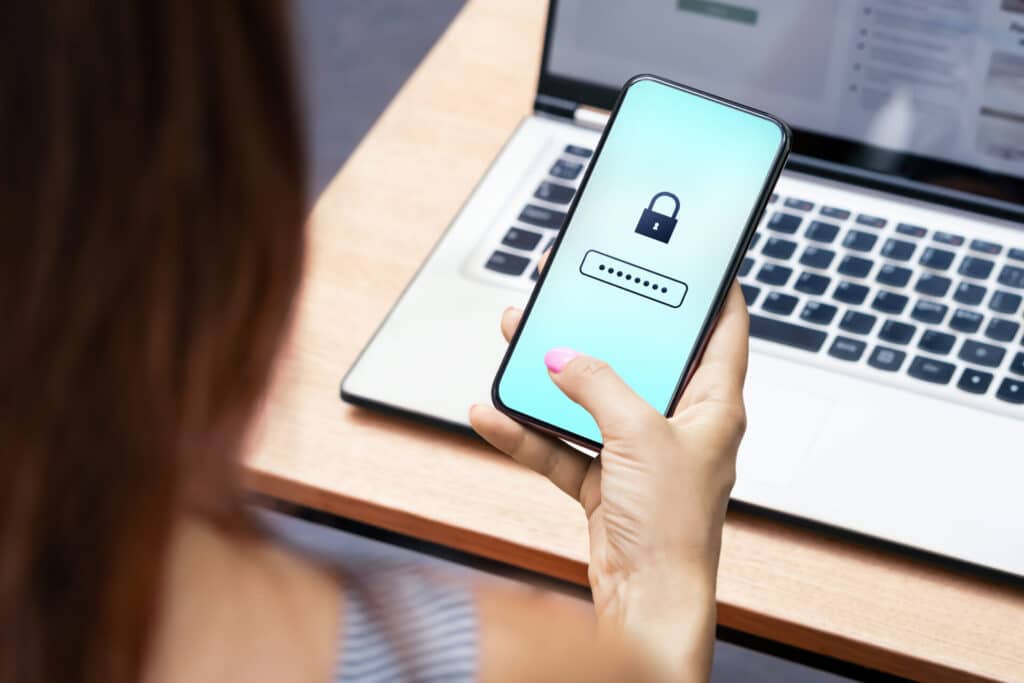
Using simple passwords or reusing the same credentials across multiple accounts increases a remote worker’s risk of falling prey to a cyberattack. Once a hacker gains access to one login, they can infiltrate other accounts, such as their company email, as well as cloud systems or confidential files.
5. Cloud Security Misconfigurations
Cloud platforms, such as Microsoft 365 and Google Workspace, or industry-specific tools, are essential for remote work. However, if they’re not configured securely, hackers can exploit:
- Permissions that are too broad
- Poorly monitored platforms
- Weak access controls
- Insecure data-sharing settings
These misconfigurations are some of the fastest-growing causes of data breaches in Florida and across the U.S.
6. VPN and Remote Access Vulnerabilities
If remote employees use outdated, improperly configured, or shared VPNs or remote desktop tools, cybercriminals can bypass security measures and access the company network.
Cybersecurity Solutions for Florida Companies With Remote Workers
To protect remote staff employed by your Florida business, it’s vital to create a layered cybersecurity strategy. Here are the tactics you can implement to improve safety and reduce risk.
1. Implement Multi-Factor Authentication (MFA)
MFA adds an essential layer of security because it requires users to verify their identity through multiple methods, which can include:
- A text code
- An authenticator app
- A biometric scan
- A hardware token
Even if a hacker steals a password, MFA prevents unauthorized access because they should not also have the additional credentials that would allow in a legitimate user. MFA is one of the simplest and most effective tools Florida companies can enable immediately.
2. Use a Business-Grade VPN
A secure, business-class VPN encrypts all internet traffic, ensuring that remote workers stay protected even when using public networks.
Florida companies should ensure their VPN:
- Uses strong encryption
- Is regularly updated
- Restricts access based on user role
- Logs activity to identify suspicious behavior
Pro tip: Avoid free VPNs. They lack security standards and may track user data.
3. Provide Company-Managed Devices
Remote workers are safest when they use standardized, company-managed laptops and mobile devices. These devices allow IT teams to:
- Push updates automatically
- Enforce security settings
- Install firewalls and antivirus tools
- Restrict unsafe downloads
- Monitor for suspicious behavior
If personal devices must be used, a Mobile Device Management (MDM) platform can enforce necessary protections.
4. Require Strong Password Policies
Florida businesses should enforce password best practices for all employees. These practices should include:
- Minimum password length and complexity
- No password reuse
- Automatic expiration policies
- Password managers to store and generate secure credentials
A password manager ensures that workers don’t rely on sticky notes or repeatedly use the same passwords.
5. Require Continuous Cybersecurity Training
Human error is the leading cause of most cyberattacks. Ongoing training is vital to help employees identify:
- Phishing emails
- Suspicious links
- Social engineering tactics
- Fake login screens
- Unexpected software prompts
Companies should take advantage of cybersecurity awareness training, simulated phishing campaigns, and regular updates on emerging threats.
6. Use Endpoint Detection and Response (EDR)
EDR tools provide real-time monitoring and threat response for remote devices. If malware or unusual behavior is detected, EDR can:
- Isolate the device
- Remove malicious files
- Alert IT teams
- Prevent the spread of ransomware
Regardless of your business’s operations, EDR is essential.
7. Secure Cloud Platforms With Proper Configuration
For businesses using Microsoft 365, Google Workspace, or cloud-based workflows, proper configuration is critical. Recommended protections include:
- Role-based access control (RBAC)
- Encrypted data storage
- Security policies for file-sharing
- Regular reviews of user permissions
- Automated log monitoring
Cloud misconfigurations are preventable, but only with proactive oversight and management.
8. Establish a Remote Work Security Policy
Every Florida company with remote or hybrid workers needs a written cybersecurity policy outlining:
- Approved devices
- Password requirements
- How to report suspicious activity
- Required updates and patches
- Data-handling procedures
- Expectations for using public Wi-Fi
- Incident response processes
Clear guidelines keep employees aligned and reduce confusion during a cyber incident.
9. Partner With a Managed IT and Security Provider
Cybersecurity threats evolve daily, and most Florida businesses don’t have the resources to manage round-the-clock monitoring themselves. A dedicated managed IT partner like MHD can provide:
- 24/7 network monitoring
- Proactive security updates
- Phishing prevention
- Remote-work cybersecurity solutions
- Cloud security management
- Backup and disaster recovery
- Rapid incident response
A partnership with cybersecurity professionals ensures your remote employees stay protected, no matter where they work in Florida or the United States.
Protect Your Remote Workforce With the Right Cybersecurity Strategy. Protect It With MHD: 833-MHD-INFO (833-643-4636).
Remote work isn’t going away, and neither are cyber threats. For companies across Florida, building a comprehensive cybersecurity plan is the best way to protect your data, your people, and your reputation.
Whether your team operates in Tampa, Palm Beach, or any of the surrounding areas, MHD can help you secure your network, support your remote employees, and stay ahead of evolving cyber risks.
Contact an MHD specialist at 833-MHD-INFO (833-643-4636) to learn more about our managed IT security services for your Florida business.
MHD is your premier IT partner, serving businesses in and around Tampa, Florida, and West Palm Beach, Florida.
Recent Articles